What "Orbitals single copy two players" actually means
Orbitals is built from the ground up as a two-player cooperative puzzle adventure, so the phrase "single copy two players" sits at the heart of how the game is sold and played. Instead of forcing every household to buy two retail boxes, the developers at Shapefarm ship a dedicated companion app that lets a second player join the host's session without owning a separate copy of the main cartridge or eShop download. This design keeps the entry price fair while preserving the asymmetric role system that makes the gameplay loop feel fresh on every run. Related reading: our Friend pass explained walks through the same systems in more detail.
The full retail release is scheduled for September 3, 2026 on the Nintendo Switch 2 at $39.99 USD, published by Kepler Interactive according to the Orbitals eShop listing. At that price you get one full game license, one download of the Global Friend's Pass, and the right to invite a second player online or on the same couch. The second player only needs a free download and a working controller, which is why the model is so attractive for friends, siblings, and long-distance partners who want to share the experience without doubling the cost.
What makes the system worth understanding is that the second player is not a watered-down spectator. They pilot an actual character, control a real ability kit, and progress through the same puzzles as the host. The companion app is a genuine client, not a remote-control viewer, which is a meaningful distinction when you compare Orbitals to older "pass-the-pad" co-op schemes. Before we get into the technical setup, it helps to know exactly which roles each player fills and what tools they bring to the table.
How asymmetric co-op defines each player's role
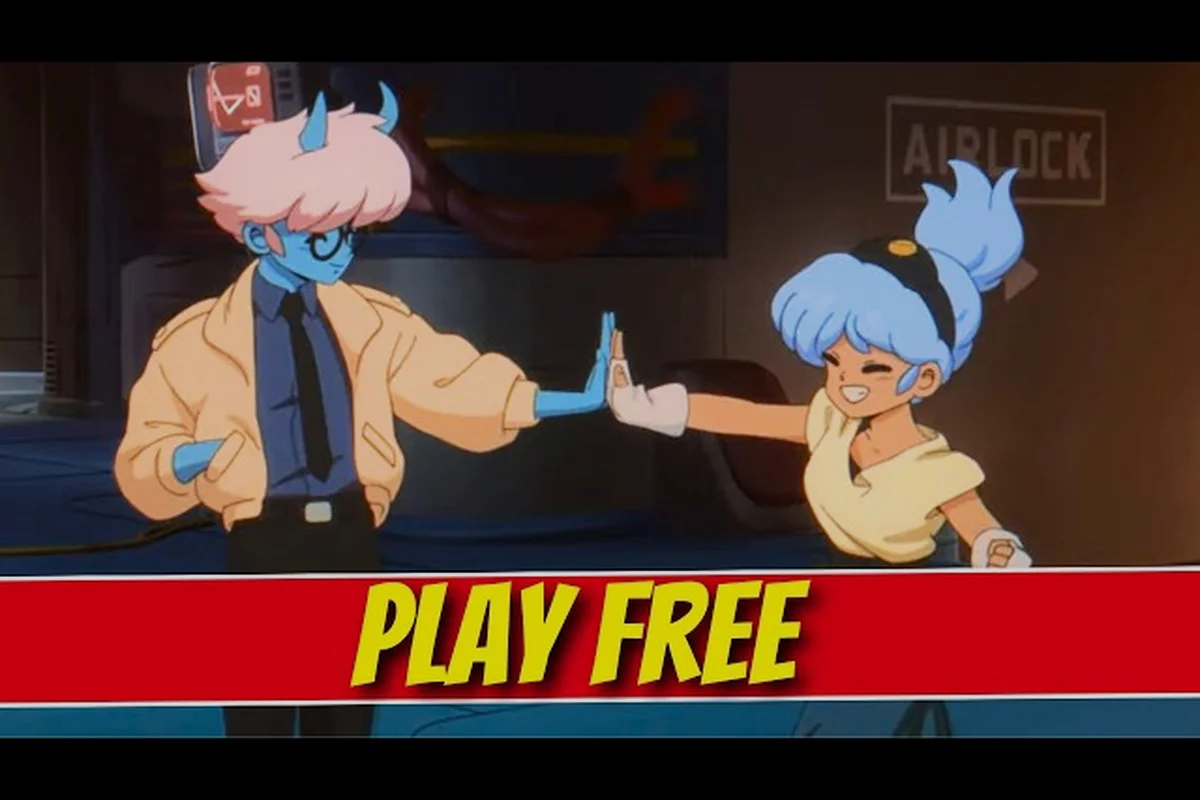
Orbitals splits its cast into two explorers, Maki and Omura, and the entire puzzle design hinges on their complementary skill sets. The two characters cannot solve any major challenge alone, which means every checkpoint forces real teamwork rather than parallel solo work. Understanding the division of labor is the first step to enjoying the Orbitals demo local co-op experience, because players who pick the wrong mindset often stall on the very first environmental puzzle. Related reading: our How to get friend pass walks through the same systems in more detail.
Maki is the mobility-focused explorer who carries the scanning visor, the magnetic grapple, and the short-range telemetry that lights up interactive elements. Omura is the systems specialist who operates the heavy lifts, the power relays, and the puzzle consoles scattered through every map. When you set up Orbitals single copy two players, the host typically takes Maki while the guest takes Omura, although the assignment is flexible once both clients are linked.
The asymmetry is more than cosmetic. A solo player cannot brute-force a door by spamming inputs, because the magnetic seal requires a magnetic field to be active on one side and a manual confirmation on the other. One player primes the field, the other fires the switch, and the door opens. According to the Wikipedia entry for Orbitals, this two-handed coordination is a deliberate design pillar that the studio wants to preserve across every chapter.
Why the asymmetry matters for beginners
New players often assume "two players" means "one player does twice the work," but the game punishes that instinct almost immediately. If both players rush to the same console, the power grid overloads and a ten-second lockout begins, which is more than enough time for the Storm Wall to advance another segment. The safer opening move is to scout ahead, mark interactables with the visor, and let the systems operator choose when to fire each relay.
The asymmetry also creates a soft skill curve that rewards different play styles. Players who like exploration and route planning will feel right at home on Maki, while players who prefer precision timing and switch management will gravitate toward Omura. Picking the role that matches your temperament halves the learning curve and doubles the satisfaction when a multi-step puzzle clicks into place on the first try.
Downloading the free Global Friend's Pass
The companion app that powers Orbitals single copy two players is officially called the Global Friend's Pass, and it is distributed as a separate free download on the Nintendo eShop. You do not need to own a copy of the main game to install the app, which is the whole point of the single-copy model. Anyone with a Switch 2, a Nintendo Account, and an internet connection can grab the app and wait for a friend to send an invite.
The current store page describes the app as a free companion client that streams gameplay state from the host and renders the guest's view locally. That phrasing matters because it explains why the second player still needs a console: the app is not a phone client and it is not a browser-based mirror, it is a real Switch 2 build that talks to the host over the same online infrastructure used by retail co-op.
The Orbitals friend pass download is roughly 1.4 GB based on the size shown next to the eShop badge, which is small enough to install on a Switch 2 with even a modest memory card. The app does not require a Nintendo Switch Online subscription to run, but online co-op sessions do require a stable home network on both ends. Local wireless sessions work without an internet connection once the app is installed, which is a nice fallback for travel and dorm setups.
Steps to install the Friend's Pass on a second console
The install process is intentionally short so that spontaneous co-op sessions do not stall on a fifty-step tutorial. Here is the practical flow that mirrors what most testers describe in community reports.
| Step | Action on the second console | What you see on screen |
|---|---|---|
| 1 | Open the Nintendo eShop and search "Orbitals Global Friend's Pass" | App tile with the orange companion icon |
| 2 | Select the free download button and confirm with the linked account | Progress bar at roughly 1.4 GB |
| 3 | Launch the app once the install finishes | Title splash and a "waiting for invite" status panel |
| 4 | Sign in with the same Nintendo Account used for the host's online play | Friend list populates from the system overlay |
| 5 | Accept the invite when the host sends a session request | Guest enters the host's shared puzzle instance |
The host does not need to install anything extra, because the Friend's Pass build is bundled with the full retail download. That single-bundle design is what makes "single copy two players" a real, supported feature rather than a marketing trick.
Connecting two players from one purchase
Once both clients are installed, the connection step is the moment that decides whether the rest of your evening goes smoothly. The host launches Orbitals, picks a save slot, and selects the co-op mode from the chapter select menu. The game then offers a choice between "Same Console" and "Online Friend," and the choice you make changes the Orbitals friend pass app behavior slightly.
Same Console mode is the cleanest demo of asymmetric co-op because both controllers plug into the same Switch 2. Each player gets a fixed camera pane, voice chat is handled through the system's built-in mic, and there is no network latency to worry about. This is the setup that the Orbitals demo local co-op preview at PAX used to show off the puzzle pacing, and it remains the recommended starting point for anyone trying the system for the first time.
Online Friend mode routes the connection through Nintendo's friend infrastructure and uses the Friend's Pass app on the guest's console. The host generates a session token, the guest receives an invite notification, and the two clients negotiate a peer-to-peer tunnel through the Nintendo relay servers. According to community testing reported by early preview outlets, the handshake takes between 8 and 14 seconds on a typical home connection, which is fast enough that most groups barely notice the wait.
What to do when the invite does not appear
Three issues cause the majority of failed handshakes, and each has a known fix that does not require restarting the game. The first is friend list visibility: the host must have the guest's Nintendo Account added to their Switch 2 friend list before the invite can be sent, and accounts that are linked but not friended do not appear in the session picker. The second is online status: the guest must have the Friend's Pass app running in the foreground, not suspended, because the system routes invites to the most recent active title. The third is regional mismatch: the game locks sessions to the same region by default, so a guest who travels abroad may need to change their eShop region before the invite reaches them.
| Common issue | Likely cause | Fastest fix |
|---|---|---|
| Invite never arrives | Guest not on host's friend list | Add Nintendo Account under friends menu |
| Guest stuck on "waiting" | Friend's Pass app suspended | Reopen the app and accept manually |
| Session rejects connection | Region mismatch | Switch eShop region in system settings |
| Audio desyncs mid-puzzle | Wi-Fi congestion | Move both consoles within 3 m of the router |
A working local co-op session also benefits from a small bit of pre-flight housekeeping. Charge both Joy-Cons, set system volume to at least 50 percent, and close any background downloads that might steal bandwidth. None of these steps are strictly required, but they remove the four most common sources of mid-session frustration.
What the second player actually experiences
A common misconception is that the second player is a glorified sidekick who watches the host solve every puzzle. In practice, the guest player in Orbitals single copy two players owns a fully controllable character with an independent camera, an independent health bar, and an independent inventory. The guest can run ahead, trigger interactables, and die in ways that force the host to backtrack and revive them.
The experience is also tuned for parity. Both characters can pick up the same collectibles, both can trigger checkpoints, and both unlock the same cosmetic rewards at the end of each chapter. The host does not earn extra experience or bonus currency that the guest cannot match, which keeps the relationship between the two players feeling like a true partnership rather than a one-sided patronage arrangement.
Voice communication is a hidden third pillar of the experience, and the developers clearly designed puzzles that benefit from callouts. One player marking a switch on the visor while the other announces the timing of the press turns a frustrating two-minute loop into a thirty-second clean run. Players who have tried the Orbitals demo multiplayer build consistently report that the in-game ping wheel covers the basics but that a Discord or phone call makes the hard puzzles much smoother.
Differences between host and guest controls
| Function | Host (Maki default) | Guest (Omura default) |
|---|---|---|
| Movement | Full analog control | Full analog control |
| Camera | Independent, rotatable | Independent, rotatable |
| Primary tool | Magnetic grapple and visor | Power relay and console override |
| Death | Revive timer 25 seconds | Revive timer 25 seconds |
| Save progress | Writes to host save slot | No local save, syncs to host |
| Settings access | Full pause menu | Limited guest pause menu |
The role flip is also possible, which keeps long-running co-op groups from getting bored. After the first chapter, the players can swap characters, and the puzzles remain identical but the timing windows feel different. A team that switches roles after every chapter tends to clear the mid-game puzzles faster because each player has internalised the rhythm of the other role and can predict their partner's timing.
The free demo and how it fits into the system
A free public demo is part of the broader single-copy two players model, and it gives newcomers a way to try the asymmetric loop before they commit to the full purchase. The demo currently ships on the eShop as a stand-alone download that contains the first two chapters plus a short tutorial mission. Both chapters support local co-op, which means you can recruit a friend to install the demo and play through the intro without either of you spending a cent.
The Orbitals demo local co-op session uses the same Friend's Pass infrastructure as the retail build, which is a smart quality-of-life decision. The host downloads the demo, the guest downloads the demo, and the two clients pair using the same handshake. There is no separate "demo friend pass" and no patched-down version of the connection code, which is reassuring for players who worry that the demo experience will not match the retail experience.
The demo also unlocks a small cosmetic reward in the full game if you reach the first chapter checkpoint, which is a gentle nudge toward the retail purchase without being pushy. According to the Orbitals official website, the demo is the recommended entry point for anyone who is still deciding whether the asymmetric format works for their group.
Demo versus retail feature comparison
| Feature | Free demo | Full retail build |
|---|---|---|
| Chapters included | First two | All seven chapters |
| Local co-op | Yes | Yes |
| Online co-op | Yes | Yes |
| Friend's Pass required for second player | Yes | Yes |
| Cosmetic reward carryover | Yes | n/a |
| Voice chat | Yes | Yes |
| Save file export | No | Yes |
Players who want to extend the demo session can also use the Friend's Pass during the demo, which is a low-risk way to test the Orbitals play for free promise before deciding on the full purchase. The full retail build costs $39.99 and includes the entire story, all collectibles, and the seven-chapter campaign, while the demo is a permanent free download that stays on your console even if you never buy the main game. The full retail build costs $39.99 and includes the entire story, all collectibles, and the seven-chapter campaign, while the demo is a permanent free download that stays on your console even if you never buy the main game — and if a friend wants to join the campaign without owning it, our breakdown of Orbitals Split Screen covers the guest-play and share-screen rules that pair naturally with that free demo.
Troubleshooting connection drops and sync bugs
Even with a clean install, real-world co-op sessions run into occasional sync issues, and knowing how to triage them keeps the evening on track. The most common complaint from preview players is a momentary freeze when the host enters a new room, which is usually a peer-to-peer relay handoff and resolves itself within two seconds. A freeze that lasts longer than ten seconds usually points to a NAT type mismatch, and the fix is to put both consoles on the same network segment or to enable UPnP on the home router.
Audio desyncs are the second most common issue, and they tend to appear when one console is connected to a 5 GHz Wi-Fi network while the other is on 2.4 GHz. The mismatch causes the guest's voice to lag behind their character by a fraction of a second, which makes the timing-based relay puzzles feel unfair. Switching both consoles to the same band clears the desync and reduces the perceived input lag on the host's side.
Save corruption is rare but worth flagging because the demo writes to the host's save slot directly. If the host's Switch 2 crashes mid-session, the guest can rejoin from the chapter select menu without losing progress, but the host may need to reload the most recent checkpoint. Backing up the host's save to the cloud once a week is a good habit for anyone planning a long co-op run.
Quick-reference troubleshooting matrix
| Symptom | Most likely cause | Action that fixes it |
|---|---|---|
| Freeze for 2 seconds when entering a new room | Relay handoff | Wait, the session resumes automatically |
| Freeze longer than 10 seconds | NAT type mismatch | Enable UPnP or move both consoles to the same VLAN |
| Audio desync of half a second | Mixed Wi-Fi bands | Set both consoles to 5 GHz |
| Guest cannot see host after invite | Friend's Pass not foregrounded | Relaunch the app on the guest console |
| Save file missing after crash | Cloud sync disabled | Enable save backup in system settings |
| Session ends unexpectedly | Host's internet dropped | Reconnect host, rejoin from chapter select |
Players who run into persistent issues can also try clearing the local cache for both the main game and the Friend's Pass app. The cache lives under System Settings → Data Management → Clear Cache, and a fresh cache often resolves odd connection bugs that survive every other fix.
Tips for getting the most out of a single-copy session
The Orbitals single copy two players model works best when both players treat the session as a shared puzzle rather than a race, and a few small habits make the experience feel much smoother. The first habit is to agree on a checkpoint rhythm before you start a chapter, because the checkpoint system in Orbitals saves both players at the same node, and choosing a stopping point in advance prevents one player from dragging the other into a frustrating loop.
The second habit is to keep the visor ping active at all times. Maki's visor is the only reliable way to mark interactables for the guest, and a quick ping every five seconds keeps the Omura player from guessing where the next switch is. The third habit is to use the in-game voice wheel for high-priority callouts and a third-party voice app for casual chat, because the wheel is fast but limited.
The fourth habit is to embrace the role swap after every chapter, because it keeps both players engaged and exposes each of them to the puzzles from the other side. Players who have completed the full campaign report that the role swap made the late-game Storm Wall puzzles feel fresh on a second playthrough, because the timing windows that felt tight on Maki feel generous on Omura and vice versa. The single-copy model rewards this kind of slow, deliberate play, which is one of the reasons the Orbitals play for free demo has drawn so much positive word of mouth.
Recommended session checklist for new pairs
| Before the session | During the session | After the session |
|---|---|---|
| Charge both controllers | Keep visor pings active | Save on host's slot |
| Check Wi-Fi signal on both consoles | Use voice wheel for callouts | Discuss role swap for next chapter |
| Close background downloads | Pause together at every checkpoint | Back up host save to cloud |
| Agree on session length | Trade roles at chapter end | Clear cache if any bug appeared |
This checklist is intentionally short because the goal is to get into the game quickly and stay there. A pair that spends more than five minutes on pre-flight will lose momentum, while a pair that runs the checklist in two minutes will settle into the puzzle rhythm almost immediately.
How the Friend's Pass compares to other co-op schemes
Single-copy two-player schemes are not new, but Orbitals handles the format with more polish than most of its peers. Older "pass-the-pad" systems forced both players to share a single input device, which worked for short bursts but felt cramped on longer sessions. The Switch 2's Joy-Con split lets each player hold a full controller, which removes the cramped-hand problem entirely.
The model also avoids the more common "second screen" trap, where the guest watches the host on a tablet or phone and taps prompts at scripted moments. The Friend's Pass is a real client that renders the guest's view on a separate display, which means the guest sees the same world the host sees, just from a different angle and with a different role. That level of parity is rare in the indie co-op space and is one of the strongest selling points for the format.
The free price point also matters. Many "friend pass" systems on rival platforms charge a small fee for the companion app, which adds friction to the very first session. The Global Friend's Pass removes that friction by being genuinely free, and the eShop listing confirms that the download is a no-cost item with no in-app purchases. A free friend pass app plus a free demo plus a single $39.99 retail purchase is a much cleaner value proposition than the bundled passes that competitors often lock behind a subscription.
Why the model benefits the developers too
The single-copy approach is not just generous to players. The developers benefit from a larger effective player base, because every retail purchase potentially brings a second player into the orbit of the franchise without requiring a second sale. That larger base makes the live-service roadmap more sustainable and gives the studio room to plan post-launch content that assumes a healthy co-op population.
The model also reduces piracy risk on the second seat, because the second player can only join the host's session through an official channel. A pirated copy of the Friend's Pass cannot talk to a legitimate host, which means the secondary market for unauthorised copies is effectively zero. That structural protection is rare and is part of the reason the Kepler Interactive publisher page frames the format as a long-term investment rather than a launch gimmick, as described in the Kepler Interactive Orbitals page.
Frequently Asked Questions
Do I really only need one copy of Orbitals for two players?
Yes. The single-copy two players model is built into the retail release, so the host installs the main game and the guest installs the free Global Friend's Pass app. Both clients then pair through Nintendo's friend system and share a single session, which means you only pay for one $39.99 license. The setup is the same whether you play on the same console or over the internet, and the guest does not need a separate purchase to keep playing.
What does the second player actually install?
The second player installs the Global Friend's Pass app, which is a free download on the Nintendo eShop. The app is roughly 1.4 GB and runs as a stand-alone Switch 2 build that talks to the host's session in real time. Once installed, the app waits for an invite, and the second player joins the host without owning a copy of the main game. The app also supports the free demo, so the second player can try the experience before deciding whether to upgrade.
Can I play the free demo with a friend using Friend's Pass?
Yes, the Orbitals demo local co-op build uses the same Friend's Pass infrastructure as the retail game, and both players can install the demo for free. The demo includes the first two chapters plus a tutorial mission, and the cosmetic reward from the demo carries over to the retail purchase if you decide to upgrade. The connection handshake is identical to the retail session, which makes the demo a low-risk way to test the system.
Is the Friend's Pass really free, and are there any hidden costs?
The Friend's Pass download is genuinely free, with no in-app purchases and no subscription fee. The only cost you may run into is the standard Nintendo Switch Online subscription if you want to play online with a friend who lives in a different household, but local co-op does not require an online subscription. The eShop badge next to the Friend's Pass listing clearly marks the download as a no-cost item, and the developers have confirmed that pricing will not change after launch.
What happens if my friend does not own a Switch 2?
The Friend's Pass is currently a Switch 2 exclusive, which means the second player needs a Switch 2 console and a Nintendo Account. There is no phone client, no browser client, and no PC client at launch, so cross-platform play is not supported. If your friend does not own a Switch 2, you can still experience the local co-op mode by sharing a single console with split controllers, and the same co-op logic applies.